

Disclosure: ESIMEcho is our sister site. Links to its plan research below are owned-site references.
If your home carrier stops roaming, first restore data through a travel eSIM or local SIM. Then save the suspension notice and ask the carrier what is blocked. Finally, protect account recovery and decide whether keeping your number justifies a port. Do not cancel the old line before confirming the official transfer process.
The 3 a.m. message that wrecks a workday
If your home carrier stops roaming, first restore data through a travel eSIM or local SIM. Then save the suspension notice and ask the carrier what is blocked. Finally, protect account recovery and decide whether keeping your number justifies a port. Do not cancel the old line before confirming the official transfer process.
This is not a takedown of any one carrier. It is a reminder that a single home SIM is a single point of failure. If you already treat eSIMs as default kit — we wrote the lifestyle version in Why eSIMs Are a Digital Nomad’s Best Friend — this piece is the failure-mode version: what to do when the home line is the thing that breaks.
Signs you are in a risk-control event
Carriers rarely publish a clean “we banned this country” page the same hour they cut you. Watch for the stack, not one red banner:
- Roaming dies, home service still “active.” You can see the account in the app. Top-ups still work. International data, SMS, or voice just stop.
- The word salad: risk, unusual usage, security review, wholesale fraud. Support will not always say “China” or “Southeast Asia.” They will say the account tripped an automated control.
- You used a lot of data in a short window after a border crossing. Hotspotting a laptop off the home roam plan is a classic trigger. So is hopping three countries in ten days on one prepaid.
- A partner network refuses the IMSI even though the app says roaming is on. That is often a steering / barred-destination rule, not a broken phone.
- They ask for extra ID, a video selfie, or a “return to the home country” proof before they will restore roaming. That can take days. You do not have days if a client is waiting on a Slack huddle.
If two or more of those show up, treat it as a line-loss event, not a “refresh APN” event. Fix connectivity first. Argue with the carrier second.
Why nomads trip the wire
Prepaid and MVNO economics are not the same as a postpaid flagship plan. The brand is buying wholesale roaming from someone else. A month of café hotspot in a high-cost roam zone can lose them money. Fraud rings also love cheap prepaid SIMs that light up in those same zones. Automated risk engines do not distinguish “I am a freelancer in Chengdu” from “this IMSI looks like a farm.”
So the play is not “find the one carrier that will never ban roaming.” The play is: assume any home roam privilege can vanish, and keep a stack that still lets you work.
PAC / port thinking — keep the number, lose the dependency
If the number still matters — banks, Apple ID, the client who only calls that line — do not wait until the SIM is fully dead to think about a port. At a high level:
- Know how number portability works in the country that issued the SIM before you fly. In the UK that is a PAC (or STAC if you are closing). Other markets have their own codes and cooling-off rules. This is not a how-to for beating a specific brand; it is “have the process in your notes app.”
- Request the code while the account still looks healthy. Some brands get slower once the account is locked for review.
- Port to a more roam-tolerant home line, or to a second number you actually control — not to another prepaid that uses the same wholesale roam agreement. Switching logos is useless if both sit on the same barred list.
- Do not port in a panic at the airport. A botched port can leave you with no number and no SIM. Get data working first (travel eSIM or a local SIM), then move the number when you have Wi-Fi and a clear head.
If you do not need that exact number, skip the port. Park the account, stop paying for roam you cannot use, and put energy into the stack below.
The stack: home line + dual-SIM + travel eSIM
The setup that survives a giffgaff-style event is boring on purpose:
- Slot A / eSIM 1 — identity line. The number banks and 2FA still know. Data roaming off unless you have confirmed this destination is safe on that brand. Voice/SMS roaming only if you truly need it.
- Slot B / eSIM 2 — travel data. A travel eSIM (or a local SIM) that you can buy, swap, or top up without touching the identity line. This is your work pipe: maps, Slack, hotspots, uploads.
- A spare profile, already downloaded. Do not wait until the first travel eSIM fails to install a backup. Store a second regional plan or a small global pack you can enable in two taps.
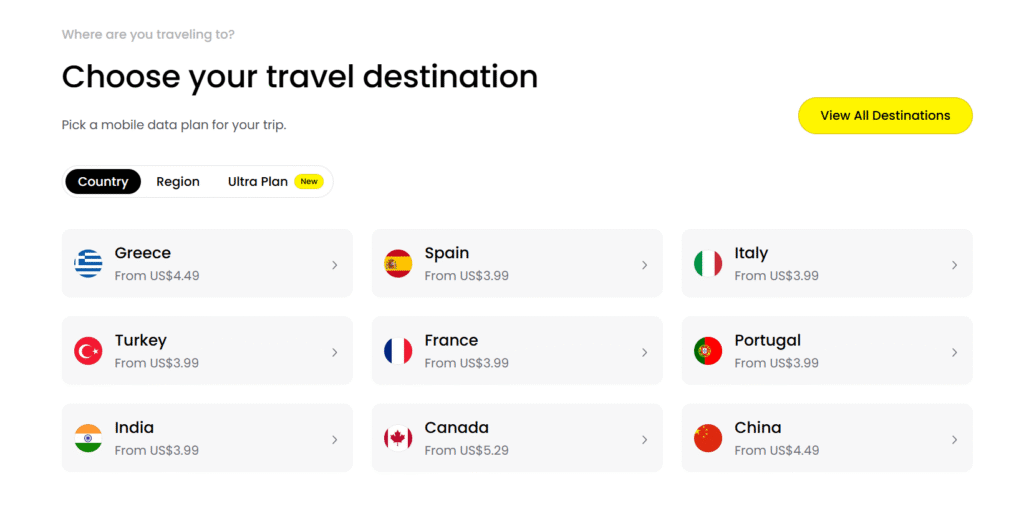
When a home brand bars a destination, the travel eSIM is what keeps the laptop online while you ticket support. For carrier-by-carrier fallout — including the current giffgaff / China-style restrictions and what to buy instead — the deeper, frequently updated notes live on our related travel-eSIM site: giffgaff China ban alternatives (2026) on eSIMEcho. That is the place to compare plans; this page is the lifestyle / risk playbook.
If you are still choosing cities with one eye on upload speed, the same “always have a backup pipe” rule showed up when we compared Chiang Mai vs Bali vs Lisbon. Villa Wi-Fi fails. Roam SIMs fail. The nomads who keep shipping are the ones who assumed both would fail in the same week.
Do not park all your 2FA on the roam SIM
This is the part people skip, then lose a bank login in a hostel lobby.
- SMS to the home number is not a backup plan. If roaming SMS is what got barred, every code that still goes to that number is gone with it.
- Move critical accounts to an authenticator app or hardware key before the next long-haul. Do it on hotel Wi-Fi this week, not after the lockout.
- Keep a second number that can receive SMS — a line that is not the same IMSI you roam data on. A persistent secondary number (some travel-eSIM apps now sell a cheap US line for inbound SMS) is useful for the accounts that still refuse authenticator apps. The stable write-up on that pattern is Saily’s US phone number for SMS 2FA.
- Do not put payroll, the domain registrar, and the Airbnb account on one roam SIM. Split them. If one line dies, you can still recover the others.
If you are still building the rest of the remote-work base — income, visas, insurance — start with How to Become a Digital Nomad (2026). Connectivity is one layer. It is a layer that can strand you if you treat it as an afterthought.
A 48-hour playbook if you just got suspended
- Hour 0–1: Buy and install a travel eSIM (or a local SIM) on the spare slot. Confirm hotspot works. Tell anyone waiting on you that you are reachable on WhatsApp / Slack, not the old number.
- Hour 1–3: Screenshot the carrier app, the error, and the chat. Open a ticket. Ask whether the bar is destination-specific or account-wide. Do not burn the afternoon in the queue if data is already back via the travel eSIM.
- Hour 3–12: Walk every account that still uses SMS to that number. Authenticator app first. Recovery codes in a password manager. Secondary number only for the leftovers.
- Day 2: Decide whether the home number is worth a PAC/port, a complaint, or a quiet retirement. If you port, do it from stable Wi-Fi with the new provider already chosen.
- Before the next border: Download a second travel-eSIM profile. Turn data roaming off on the identity line. Write the PAC/port steps in your notes. Rehearse enabling the backup profile once so you are not learning the UI in a taxi.
Related reading
Before transferring a number, compare the recovery work and replacement-plan commitment in UK number porting costs versus a new SIM.
- Why eSIMs Are a Digital Nomad’s Best Friend — the setup, not the failure mode.
- Trip-length eSIM checklist — exact-day vs a week vs a month-plus, once you already need a travel pack.
- Chiang Mai vs Bali vs Lisbon — backup internet is part of picking a city.
- giffgaff China ban alternatives (2026) on eSIMEcho — carrier-specific options when a home brand bars a destination. That post may land in parallel with this one; if the URL is still warming up, start from esimecho.com.
- Saily US phone number — a stable second line for SMS 2FA, not a replacement for local data.
Disclaimer
This is a practical field guide written in September 2026, not legal, tax, or carrier advice. Risk-control rules, roam bars, PAC/port processes, and eSIM coverage change without notice. We are not telling you to evade a contract or a fraud check. We are telling you not to run your entire working life through one roam SIM. Confirm current terms with the carrier and the eSIM provider before you buy, port, or cancel.